How to Redeem Harp Isles Codes
Paste the string in the real game — not in a 100 Robux copy.
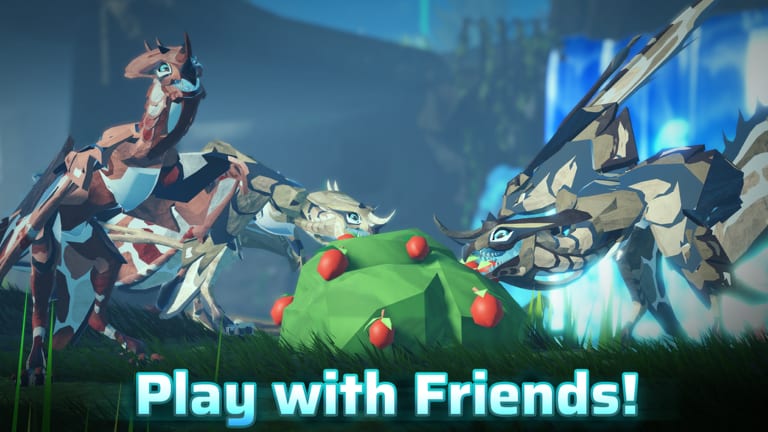
Redeeming a Harp Isles code is only useful if you are in the real universe. The official experience is free, listed under Harp Atelier, and titled Harp Isles [LAUNCH ]. If the door costs Robux, stop. The rest of this page assumes you already used the official link.
Before you paste anything
- Log into the Roblox account you actually play on. Codes are account-bound.
- Claim daily rewards first so you do not close the gift UI by accident.
- Copy the code from this wiki or from Discord — do not retype from a compressed screenshot.
- Turn off autocorrect on mobile. Roblox codes are usually case-sensitive.
As of 30 August 2026 there is no confirmed public code. Practice the UI on daily rewards so you are fast when the first string drops.
PC steps
- Join Harp Isles and wait for the main menu (specimen / Avatar select is fine; you do not need to be in the world).
- Open the shop, gifts, or social panel — launch UI places redeem near daily login and extra menus, not in the skill tree.
- Find the Codes or Redeem field.
- Paste, submit, wait for a confirmation toast.
- Check DNA, shards, cores, or inventory. If nothing moved, the code is expired, mistyped, or you are on a fake place.
If you cannot see a codes field yet, the developers have not shipped one. Do not download a “redeem GUI” script to invent it. That is how script safety stories start.
Mobile steps
Mobile support was part of the official FAQ and tester rollout. The same account is on PC and phone.
- Use the official Roblox app, not a webview clone.
- Open Harp Isles from Recents after you have favorited the real place.
- Tap the gift / shop icon (right or top cluster, depending on scale).
- Paste with the mobile clipboard. Avoid extra spaces from messaging apps.
- If the on-screen keyboard covers the submit button, rotate to landscape once.
Console follows the same menu; you will need to type with the virtual keyboard. Sit in the menu, not in a disaster, before you start hunting glyphs.
Errors and what they mean
- Invalid code — expired, mistyped, or never real. Check the codes hub Active table.
- Already redeemed — the account already ate it. Alts will not share it unless the code is global, which launch codes usually are not.
- Nothing happens — you are in an impostor experience or the field is a dummy. Leave and use official links.
- Kick / purchase prompt — paid door. That is the 2024 scam pattern. Do not buy it.
What to redeem toward
Spend DNA on a body you can feed. Read Getting Started and the starter planner before you dump a code into a hungry carnivore. Research files from codes should go through the research planner, not the first node that glows.
If a creator code is added later (follow / like rewards), it will still use this panel. We will note the extra step on the codes hub instead of splitting a second redeem guide.
Safety
Nobody from Harp Atelier will DM you a Google form that “unlocks codes.” Nobody needs your password to grant DNA. If a Discord bot asks you to verify with a token, that is a steal, not a redeem flow. Keep redemption inside Roblox.
When the first real code is live, come back here only if the UI moved. The string itself belongs on the hub so this page does not rot into a list of expired words.
Frequently Asked Questions
Quick answers to the most common Harp Isles questions.
Where is the codes button in Harp Isles?
In the main menu gift/shop cluster next to daily login. If you cannot see it, no public codes UI has shipped yet — see the codes hub.
Do I need to spawn first?
No. Redeem from the menu when possible so a tornado does not kill you mid-paste.
Can I redeem on an alt?
Each Roblox account redeems separately. Use the account you will grow.
Why did my code fail?
Expired, mistyped, already used, or you joined a fake place. Confirm the official game.