Cosmetics and Palettes in Harp Isles
Shards, palettes, skins — and how to look good without spending Robux.
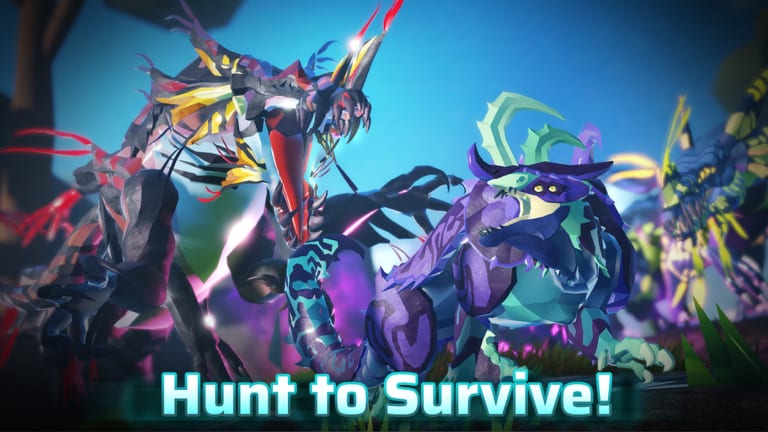
Harp Isles separates power from appearance. Customization is cosmetic only — palettes change color, not stats. This page covers every known customization option, how to earn shards, and the difference between shard-based and Robux-based purchases.
The rule: if it changes your look, it is here. If it changes your stats, it is on the subspecies or skill tree page.
Customization Currency: Shards
Shards are the farmable cosmetic currency in Harp Isles. They drop from NPC kills, world events, and daily activities. Shards are not real money — they are earned through play.
How to earn shards:
- NPC kills (bird swarms, fish, sharks drop small amounts)
- Completing daily missions
- World events and disaster survival
- Trading with other players in the official hub
Shards accumulate slowly. A full palette costs thousands of shards. Do not expect to afford a rare cosmetic in your first week.
Palette Types
Palettes change the color scheme of your Avatar. The FAQ listed three categories:
Species Palettes — Color schemes specific to one creature type. These change the base tone of your Avatar. A species palette does not unlock a new creature — it only changes the appearance of one you already own.
Elemental Palettes — Fire, ice, electric, and other elemental color themes. These are rarer and more expensive than species palettes. Some elemental palettes may be event-exclusive.
Seasonal Palettes — Holiday and event-themed color schemes. These appear during events and may disappear when the event ends. Check the events hub for active palette availability.
Skins
Skins are full-body cosmetic overrides. Unlike palettes, skins change the texture and model appearance of your Avatar, not just the color. Skins were announced as tradable in the FAQ.
How to get skins:
- Purchase with shards from the in-game shop
- Purchase with Robux from the official store
- Event drops during special events
- Trade with other players in the official hub
Skin trading rules:
- Skins are confirmed tradable in the official hub
- Robux purchases may have transfer restrictions — check the store description
- Screenshot all trade offers
- Never trade outside the official hub
Robux Purchases
Robux purchases include exclusive palettes, skins, and access to limited-time cosmetic bundles. The FAQ listed these as a studio income line — they are optional and do not affect gameplay.
What Robux can buy:
- Exclusive palettes not available for shard purchase
- Limited-time cosmetic bundles
- Special event skins
- Custom nest decorations
What Robux cannot buy:
- Stats, skill tree nodes, or subspecies upgrades
- DNA or growth acceleration
- Access to locked Avatars (gated by progression, not money)
- Anything that affects combat outcomes
Anyone selling “play access” or “unlock all cosmetics” for Robux is running a scam. The game is free.
How Customization Works In-Game
- Open the specimen menu from the main hub
- Select your Avatar
- Choose Customize
- Browse available palettes and skins
- Apply or purchase desired cosmetics
- Confirm changes
Customization is per-Avatar. Unlocking a palette on one creature does not unlock it on all creatures. Palettes are tied to the species they were designed for.
Shard Farming Routes
The fastest shard farming method is active play:
Bird swarm grinding — Bird swarms are abundant and respawn quickly. Kill them in loops while completing daily missions. Shard drops are small but consistent.
Shark hunting — High risk, high reward. Sharks drop more shards than bird swarms. Only attempt with adult-level health and combat capability.
Daily missions — Completing all three daily missions provides a reliable shard injection. Combine with regular play.
Event participation — Events like Ashes Awakening may grant bonus shards for participation. Check the events hub before each event.
Palettes versus Subspecies
This is the most common confusion for new players:
Palettes = Cosmetic color changes only. Does not affect stats. Purchased with shards or Robux. No gameplay impact.
Subspecies = Stat variation of a species. Affects health, damage, speed, or other attributes. Unlocked through growth milestones, DNA, events, or trading. Has gameplay impact.
If someone tries to sell you a “subspecies palette” or claims a cosmetic affects stats, that is misinformation. Report it to the official links.
Trading Customization Items
The trading hub supports shards, specimens, and skins. Before trading:
- Use the official in-game hub only
- Screenshot the offer before accepting
- Never “go first” on Discord
- Verify the other player’s identity in-game
- If a deal sounds too good, it is a scam
Nest Decorations
Nest decorations are a separate cosmetic category. They change the appearance of your nest without affecting its function. Some nest decorations are:
- Purchasable with shards
- Available via Robux
- Earned through pack achievements
- Event-exclusive drops
Nest decorations do not affect nest security or functionality. A decorated nest is not harder to destroy.
Event-Exclusive Cosmetics
During special events, limited-edition palettes and skins may become available. These typically:
- Appear in the shop for the duration of the event
- May become unavailable after the event ends
- Could return in future events (no guarantee)
- Are more valuable for trading than regular cosmetics
The events hub will announce event-specific cosmetics. The updates hub will log confirmed additions to the shop.
Common Mistakes
Confusing palettes with subspecies — Palettes are cosmetic. Subspecies change stats. These are entirely different systems.
Spending shards on the first palette you see — Wait. Palettes are permanent. Take time to browse the full selection before committing thousands of shards.
Trading with strangers on Discord — The official hub is safe. DMs and third-party platforms are not. If you must trade high-value items, verify everything twice.
Believing “pay to win” claims — Customization is cosmetic only. No shard purchase or Robux spending affects combat outcomes, growth speed, or stat development.
After Customization
Once your Avatar looks the way you want, shift focus to:
- Growth — cosmetics do not affect play
- Skill tree — permanent upgrades
- Pack coordination — social play
- Daily missions — reliable shard income
Frequently Asked Questions
Quick answers to the most common Harp Isles questions.
What is the difference between palettes and subspecies?
Palettes are cosmetic color changes. Subspecies change actual stats like health, damage, or speed.
How do I earn shards?
Kill NPCs, complete daily missions, survive world events, and trade with other players in the official hub.
Can I trade cosmetics?
Yes. Skins are confirmed tradable in the official hub. Palettes may vary — check the shop description for each item.
Do Robux purchases affect gameplay?
No. Customization is cosmetic only. No purchase affects combat, growth, or stats.